


BLOG
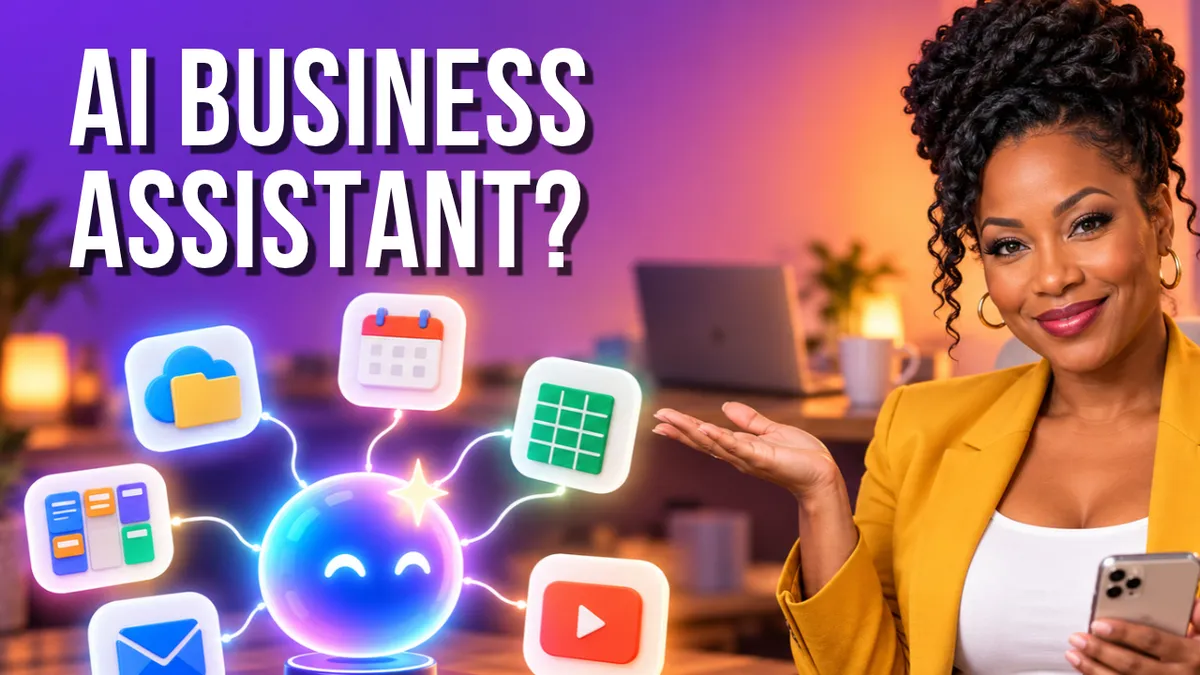
Your AI Assistant Is Becoming a Business Assistant
What if AI could do more than help you write an email or come up with a caption? What if it could look across the tools you already use and take on some of the actual work of running your business?
That possibility is getting closer, mama. AI platforms are starting to connect to the apps where your business already lives. That opens up some exciting doors for moms building businesses around already full lives. It also raises real questions about how much access to give these tools and which decisions still need you.
So first, let me ease your mind. You do not need to rebuild your entire business. You also do not need to become an expert in every new feature. My goal is to help you understand where AI is heading so you can decide, thoughtfully, whether any of this belongs in your business.
AI Is Moving Beyond the Chat Box
Most of us were introduced to AI through the chat box. Remember that? You ask a question, you get an answer, and you decide what to do with it. Maybe you used it to brainstorm a product, clean up an email, or organize your thoughts. That alone saves time, and time is what we need.
That way of working has a limit, though. You use AI one prompt at a time. You explain what you’re working on, give it the background, and ask for help. Start a new conversation later, and you may have to explain it all over again. The AI only knows the context you give it, plus anything it’s allowed to remember.
Connectors are starting to change that experience.
What a Connector Actually Does
A connector creates a pathway between an AI platform and another application. That could let the AI work with information stored in Google Drive, your Calendar, a project management platform, or another business tool you’ve approved.
Every AI company uses slightly different language for this. ChatGPT may call them apps, connectors, or plugins. Claude generally calls them connectors and supports custom connections through something called MCP. Gemini connects closely with Google products and is adding connections to other business applications. Depending on the platform, your plan, and the permissions you set, an assistant may be able to search approved files, review information, or complete certain tasks inside a connected app.
The names matter less than what they represent. AI platforms are trying to become more useful inside the systems where your work already happens.
Google recently introduced a business-focused Gemini experience that brings branding, financial analysis, and customer insights into one place. That announcement stood out to me because it was designed specifically for small business owners. That’s you and me. But this is bigger than Gemini. ChatGPT and Claude are building connected experiences too. The whole industry is moving this direction.
What This Looks Like in Real Life
Let me use myself as an example. When I create my AI clone videos and ads, I’m pulling from a bunch of different places. ChatGPT for the script. HeyGen for the avatar. Higgsfield for the video. Maybe ElevenLabs at some point for audio.
Every one of those has its own login, its own password, and its own way of working. When those tools can connect inside the AI platform I already use, I can do the work from one place. That’s the power of connectors.
Now think about your own business. Your offer is written in a Google Doc. Your launch dates are on your calendar. Your customer feedback is in a spreadsheet somewhere. Your content plan lives in a whole other tool, like Trello. A connected assistant could help you work with all of that without manually moving information from place to place every single time.
You could ask it to find the latest version of your offer description. You could ask it to summarize the themes in a customer survey. The value here is using the information you already have more efficiently, because it’s all pulled together in one spot.
And for mom entrepreneurs, that matters. We build our businesses in pockets of time. During nap time. In the pickup line. In the 30 minutes before the next meeting, the hour after the kids settle down, or that Saturday morning you blocked out to work on your offer. You do not want to spend half of that time hunting for a file or trying to remember which password goes with which account.
Connected Tools Won’t Organize Your Business for You
Here’s the catch. Connecting your tools will not automatically organize your business. You still have to do the work. There’s still a you factor.
If you have four conflicting offer descriptions, the AI won’t necessarily know which one reflects your current decision. If your customer information is outdated, connecting it just gives the assistant faster access to outdated information. The tool can retrieve what you have, but the quality of the result still depends on the quality and clarity of what you give it.
That’s why getting organized still matters, even as AI gets more capable. You don’t need a perfect filing system. You just need to know where your important business information lives and which version is the most current. (If you do want a system, we have an online business filing system inside the Digimompreneur Academy, with Trello at the heart of it.)
AI is evolving from a tool that answers individual prompts into something that can support connected business processes. That creates a real opportunity to save time, but only when you give it clear and reliable information.
The Part AI Plays and the Part That Belongs to You
Once people hear that AI can connect to their business tools, the conversation gets dramatic fast. Some folks picture an assistant running the whole business while they sit back and watch. “You got this, Chat.” Others hear the word “connector” and decide AI is not getting anywhere near their information.
I believe the healthiest approach sits in the middle. A connected AI assistant can be useful without being in charge.
One of its strongest uses is helping you make sense of information. Say you collected responses from a customer survey. Instead of reading every answer several times and sorting them into categories by hand, AI could help you spot the recurring themes. You still review the results, and you still decide what they mean for your business. The assistant just gets you to that decision faster.
That’s the relationship I want you to picture. AI prepares and organizes the information. You apply the judgment. That’s the you factor.
Better First Drafts, Still First Drafts
A connected assistant can also help you create stronger first drafts, because it has access to approved business context. A general prompt will absolutely give you a newsletter. It’ll have some stuff for your people to read. But an assistant that can reference your current offer, your audience statement, and your brand voice gives you a much better starting point.
It’s still a starting point. You need to make sure the final version sounds like you and says what you actually mean.
Your you factor includes your experience, your perspective, your values, your voice, and your understanding of the people you serve. AI can review your customer feedback, but you bring the relationship. You know what your audience is carrying. You understand why a particular concern matters. You can tell when someone needs encouragement, a direct answer, or just a simple next step. Technology can analyze the words. Your experience interprets what’s underneath them.
Don’t Get Stuck in the Brainstorm Loop
The same goes for your offers. AI can help you compare ideas or organize a product outline. It cannot decide which idea fits your purpose, your current season, and the amount of time you can realistically give it. At some point, you have to choose.
That sounds obvious, but AI makes it very easy to stay in the brainstorming stage. You ask for 10 ideas. Then 10 more. Then you compare all 20 and ask for a chart explaining the differences. Now you have more information, and you still don’t have an actual offer.
Mama, sometimes you don’t need another answer. You just need to make a decision. AI should help you move forward. If it keeps you circling the idea, it’s not saving you any time.
Watch Out for “Strong and Wrong”
Accuracy matters too. These tools can misunderstand information or pull in an outdated detail. An answer can sound polished and still be wrong. Strong and wrong.
Anything involving customers, money, policies, or public claims deserves careful review. You can absolutely use AI for important work. It just means your approval stays part of the process.
Because here’s the thing. If something goes wrong, your customer isn’t contacting the AI platform. Nobody’s calling Claude because you gave them the wrong information or they didn’t like your course. They’re calling you. Your name is attached to the message, the product, and the experience. If a customer feels like they got AI slop, they’re not calling OpenAI. They’re dragging your name through the mud. So keep yourself in the picture and protect your reputation.
Give Access Like You’re Hiring
Let’s talk privacy and access, because those are big concerns. A new connection can be helpful, but that doesn’t mean it needs permission to see everything.
Before you connect a tool, take a moment to understand what it can view and whether it can make changes. Ask whether the connection is even necessary for the task you’re trying to improve. If you want help organizing your content calendar, the AI probably doesn’t need access to your financial records. Come on now, connect those dots.
So don’t just hit “select all” on the permissions. Read those little lines. Decide what the AI actually needs to see and what it doesn’t.
Use the same judgment you’d use when bringing another person into your business. You give access based on the role. You don’t hand over everything willy-nilly just because it’s available. Let the assistant handle the work it does well, keep the work you want to keep for yourself, and stay involved in the decisions that affect your customers, your reputation, and your direction.
How to Get Ready Without Creating Another Project
You know how we do. We get something new, we iterate, we reiterate, and next thing you know, we ain’t getting nowhere. So let’s keep this practical.
Start With the Task, Not the Tool
Your first step is not choosing between ChatGPT, Claude, and Gemini. Your first step is identifying a repeated task that takes too much of your time. Start with your business, not the technology.
Maybe your weekly newsletter takes forever because your ideas and offer details are scattered in different places. Maybe you collect great customer feedback but never have time to review it properly. Pick one process that’s already part of your work.
Just one. Those of us who are multifaceted entrepreneurs get drained easily and jump into black holes. Choosing one process keeps you from connecting a pile of tools and then wondering what you were trying to accomplish in the first place.
Gather Only What That Task Needs
Once you’ve chosen the process, figure out what information it takes to complete it. Sticking with the newsletter example, you might need:
Your newsletter format
Your current offer, so you can feature it
Recent audience questions, for an FAQ section or a myth-busting angle
That’s enough to start thinking about a useful workflow. You don’t need to give an AI assistant access to your entire digital life.
Check the Information Itself
Next, look at what you’re about to hand over. Is it still accurate? Can you easily identify the current version? Does it contain anything private that isn’t necessary for the task?
This may sound like basic housekeeping, but it makes a real difference. AI works much more effectively when it gets clear source material.
Keep the Assistant’s Role Simple
Then decide what role you want the assistant to play. For your first connected workflow, keep it simple. Let it retrieve information, summarize it, or prepare a draft for your review. Give it a test drive.
That gives you a useful starting point without letting the tool publish, send, or change important information on its own. You stay part of the process.
Build In a Checkpoint
Before you use anything the assistant produces, pause and ask yourself:
Is this accurate?
Does it sound like me?
Is it helpful to the person I serve?
Did it reveal or use any information that should stay private?
Those questions protect both your brand and your customer.
A Simple Example
Imagine a mom entrepreneur who sells a digital planner. Over time, she collects customer questions through emails and surveys. Once a month, an AI assistant groups those questions by topic.
She reviews the summary and notices that several customers are confused about the same section of the planner. That tells her she may need clearer instructions or a short tutorial.
The assistant organized the feedback. She decided how to improve the customer experience. That’s a practical use of connected AI. It supports the owner without trying to replace her.
So Which Platform Should You Use?
The honest answer is that it depends on your existing tools and the workflow you want to improve. That’s basically it.
They all do similar things, and they go about it in different ways. I can ask the same question to all three platforms and get three different answers. Then I have to figure out which one dug deeper and which one had more to work with. I can’t tell you one is better than the other. I use them all.
If most of your business already runs inside Google Workspace, Gemini may feel like a natural fit. If you regularly use ChatGPT like I do, and the apps you need are available there, starting with ChatGPT may be easier. It already knows you. Claude may be the better choice if its connectors and working style fit your process.
What I don’t want you to do is move your entire business because one platform announced an interesting feature. That Gemini announcement is what sparked this whole conversation. But when I looked at it, I thought, “Wait, ChatGPT and Claude do all of those things.” It was a new announcement, not a brand new capability. If you weren’t paying attention, you might think, “Gemini came out with this? I’m moving my whole business over.” That’s a lot of work only to find out it does the same exact thing.
Choose the option that works best with the business you already have. And give yourself permission to wait if you’re not ready. You are not behind because you haven’t connected every single tool.
You might even discover that your real issue isn’t the missing connector. It might be an unclear offer, outdated information in your systems, or a process you’ve never documented. You know those SOPs you never got around to? Handle that first. Technology works best when it supports a clear process, and it becomes one more distraction when you use it to avoid creating that process.
This ties right back to what I teach about building the crayon version. Start with the simplest version that can help you. Choose one task. Use the least amount of access required. Keep yourself at the decision point. Once that works consistently, then you can decide whether expanding the workflow makes sense.
Your AI Business Assistant Readiness Check
Before you go, I want to leave you with a short readiness check. You only need to answer three questions:
What recurring business task takes more time than it should?
What information is needed to complete that task?
Which part could AI assist with while leaving the final decision with you?
That’s it. You don’t need to research every connector tonight. I know some of y’all are already like, “Ooh, connectors, what’s that?” You don’t need to open three new accounts either. Those platforms each come with their own costs unless you’re using the free versions, which is fine. Just don’t pay for all three if you don’t need to.
You’re simply looking for one place where a connected assistant could make an existing process easier. And if you can’t answer those three questions yet, that’s useful information too. It may mean your next step is getting clearer about your process, not adding more technology.
You Decide What Deserves Your Attention
AI assistants are beginning to work across the tools we use to run our businesses. That could help mom entrepreneurs like us spend less time searching, copying, and reorganizing information.
But we don’t want to remove ourselves from our businesses. We want technology to support our work while preserving the judgment, relationships, and perspective that make the work ours. Your AI assistant may be becoming a business assistant, and you’re still the business owner. You decide what it can access. You choose what deserves your attention. And you remain responsible for the experience you create for the people you serve.
So don’t feel pressured to connect everything. Look at your business, find one process that could be simpler, and then decide whether AI has an appropriate role in it. That’s how we use new technology intentionally, without letting every new announcement send us in a different direction.
If this helped you make sense of where AI business assistants are headed, share it with another mom entrepreneur who’s been trying to sort through all these new features. Then take a few minutes to answer your three readiness questions.